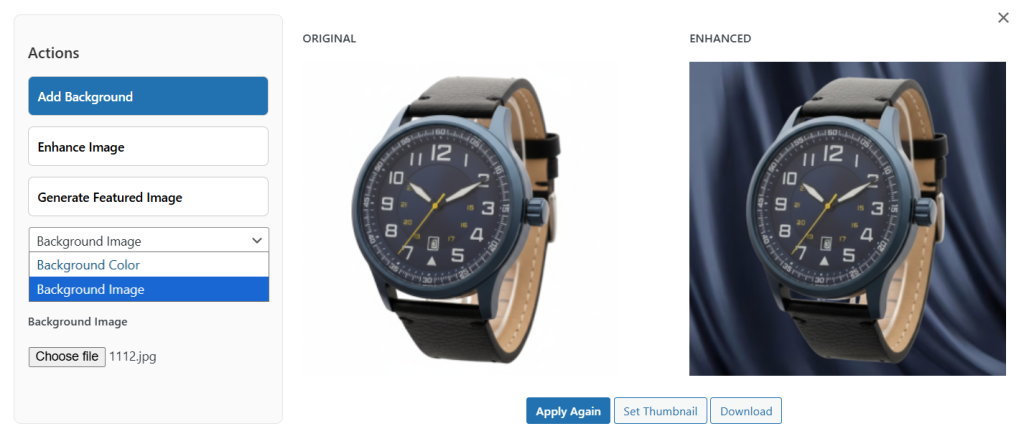
To change the background image and color of any featured image, you can use AI Product Image Generator for WooCommerce extension. It can be setup within minutes. Once installed, go to WooCommerce > AI image Enhancer > Settings. Here you can select the desired AI model and add its API Key. Now, go to Products > All Products and select any item. Click Edit and navigate to its product image section. Here, select Enhance and, from the pop-up, easily remove the background image and color of the featured image.
- Install and activate the extension. Go to WooCommerce > AI Image Enhancer> Settings. Here, you need to select your preferred AI model and add its API Key.
- Now, select default image quality and set default background color
- Once added, go to Products > All Products and from the list select the item whose background image and color you want to change.
- Click on Edit, navigate to Product Image Section and select Enhance. Now, from the pop-up, select Add Background.
- Scroll down, and from the dropdown, you can choose to change the background image and its color.
- Select Apply Changes