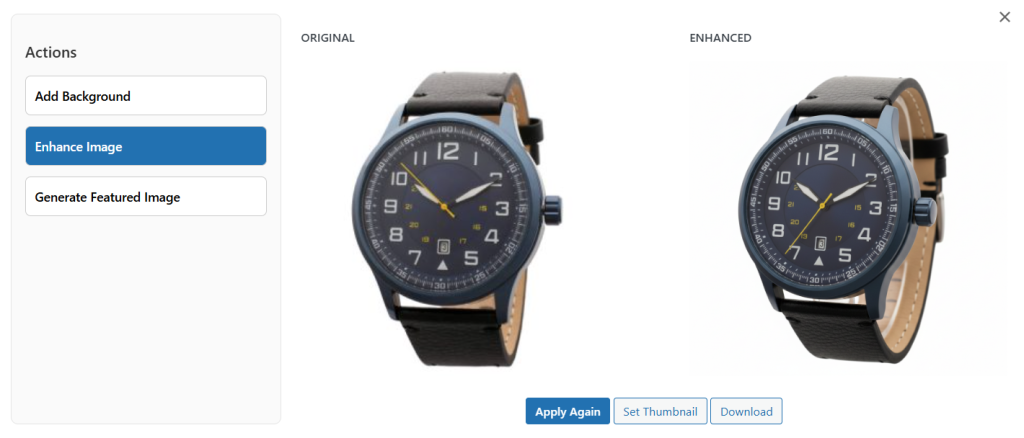
To enhance the quality of a new product image, you can use AI Image Enhancer for WooCommerce extension. Once it’s installed, go to WooCommerce > Products > Add New Product > Product Image Settings and select Set Product Image. Here you can upload any image from the media gallery and select enhance image button to improve its quality. For a detailed overview, follow more steps:
- Install and activate the extension. Go to WooCommerce > AI Image Enhancer > Settings.
- Now select your preferred AI model and add its API Key.
- Add default image quality and set default background color
- Go to WooCommerce > Products > Add New Product.
- Now, add product title, description, and navigate to Product Image Settings.
- Select “Set Product Image” option and upload any image from the media gallery.
- Once uploaded, select Enhance button to improve its quality
- You can also change the background image and color of the featured image
- Save the settings