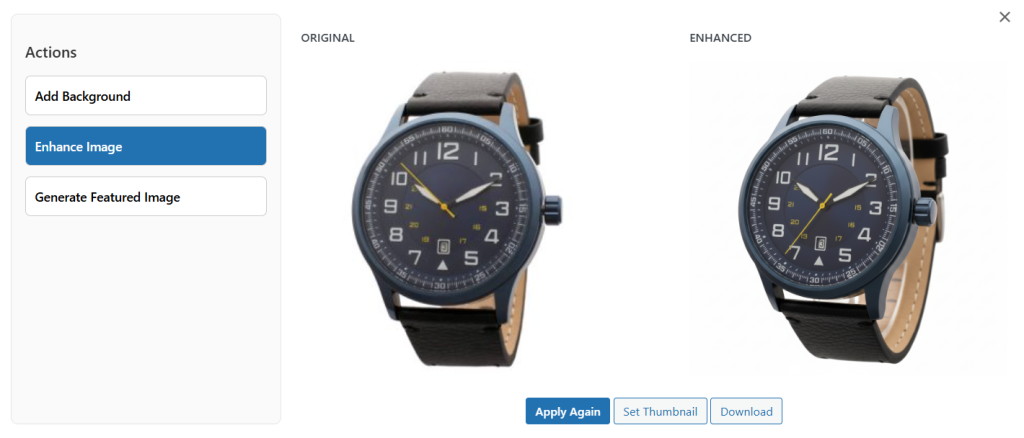
To enhance any product image, you can use AI Image Enhancer for WooCommerce plugin; It can be setup wihtin minutes. Once installed, go to WooCommerce > Products > All Products and select any item. Click on Edit and go to the product image settings. Select Enhance, and within seconds, the image will be improved with better quality and clarity. Follow the steps below for detailed instructions:
- Install and activate the extension. Go to WooCommerce > AI Image Enhancer > Settings. Here you can select your preferred AI Model and add its API Key.
- Now add default image quality and set default background image.
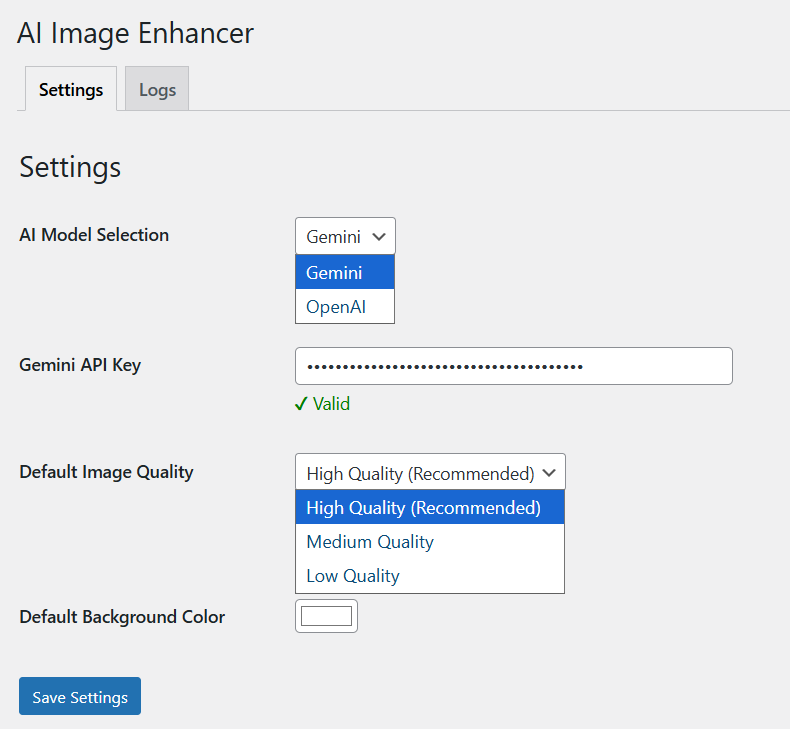
- Once it’s done, go to WooCommerce > Products > All Products and select the product whose featured image you want to enhance
- Go to its product image settings and select Enhance
- Now, click on the “Enhance Image” option and select Apply Changes