Getting Started with Installation and Activation Guide
Installation Guide
- Log in to your PrestaShop back office.
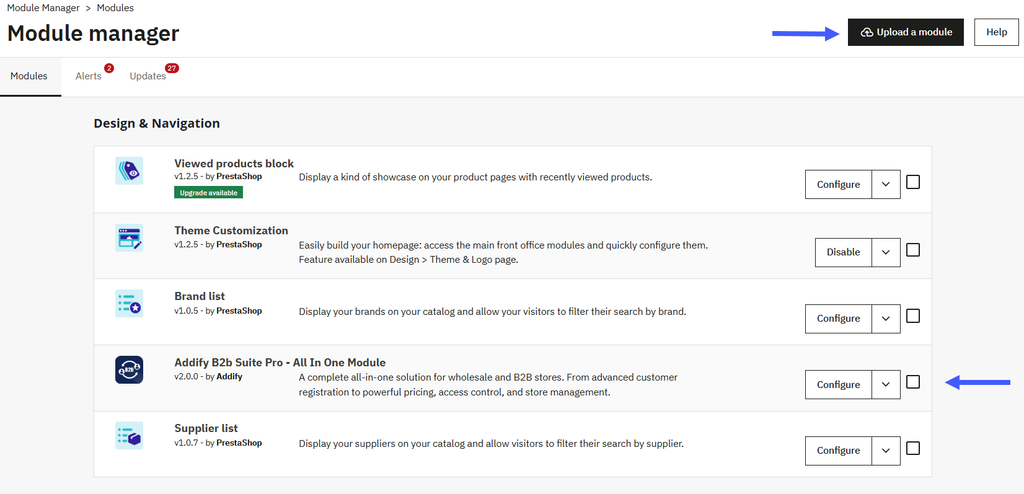
- Open the “Improve > Module > Module Manager” section
- Click on the “Upload a module” button.
- Upload the Prestashop B2B wholesale module. Choose a downloaded module file (usually a ZIP file) from your computer.
- Once uploaded, click Install to complete the installation.
Activation Guide
After the installation of the module, navigate to Module > Module Manager > Addify B2b Suite Pro – All In One Module . Click on it to configure the further settings of this module.
Now, you can explore the Addify B2b Suite Pro – All In One Module settings..